Enable Measurement Mode
Open the drawer in My and enable Measurement Mode, which is off by default. The bottom tabs become Compass, Tools and My. Turn it off to restore normal navigation. In Measurement Mode, messages are at the top right of My.
 方位之间
Enable Measurement Mode in Space Between to use the phone compass, satellite-map compass, water-outlet markers and traditional-rule calculations. Prepare direction records for remote site reviews and floor-plan discussions.
Use the online tools: bearings, floor-plan directions and home comparison (Chinese)See it in action
Learn to enable measurement mode in My, add an incoming-water marker, and drag its endpoint to record direction and length. This introduction covers compass annotations; field measurements still require a north reference and suitable conditions.
Illustrated workflow · Example content
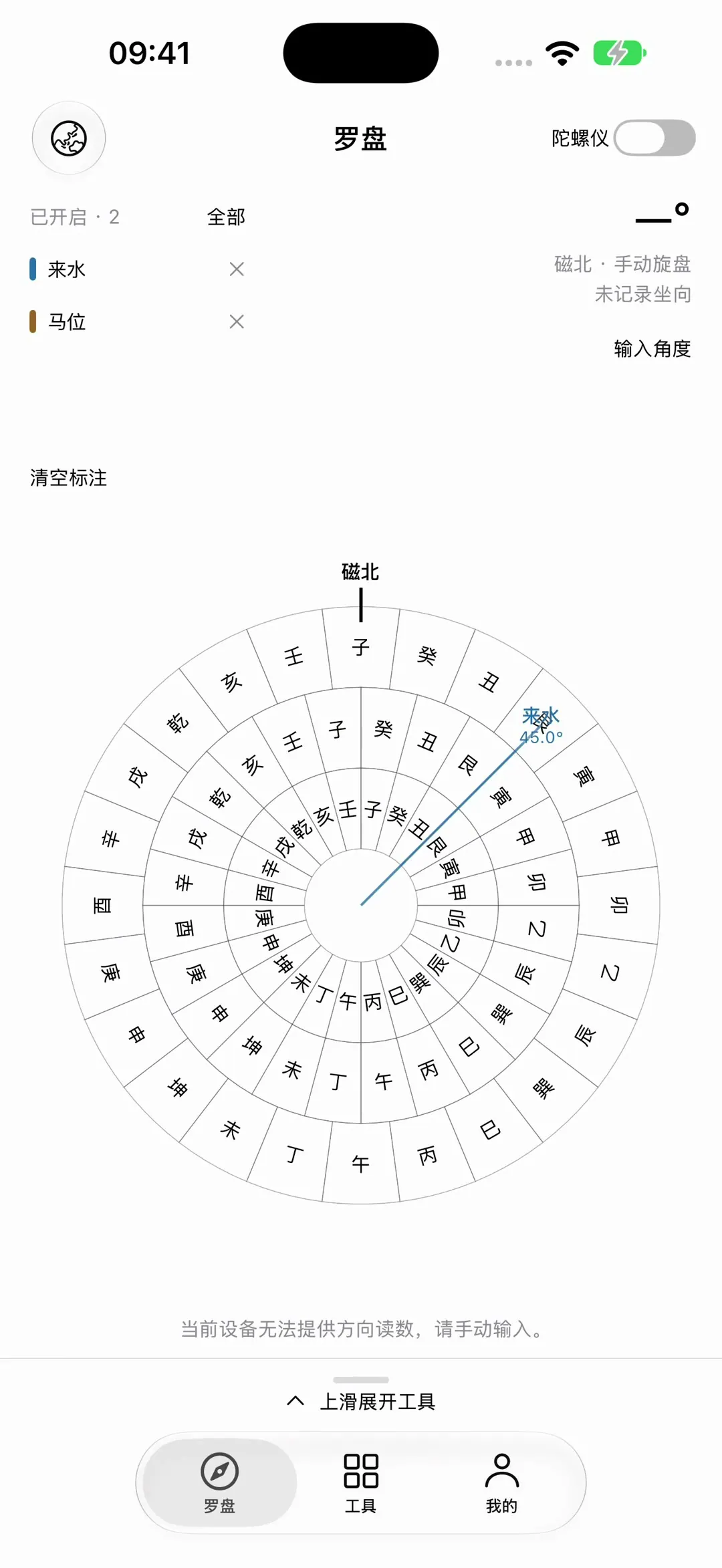
Device readings, map bearings and manual entries have different sources. Traditional-rule calculations support cultural research and organizing information, rather than automatically scoring a home’s auspiciousness.
Open the drawer in My and enable Measurement Mode, which is off by default. The bottom tabs become Compass, Tools and My. Turn it off to restore normal navigation. In Measurement Mode, messages are at the top right of My.
The Gyroscope switch at the top right follows device movement; turn it off to rotate manually. Swipe up to open compass tools, choose water outlet, incoming water, outgoing water, dragon or landform markers, and drag them to change their direction and length.
Map Compass offers standard, satellite and hybrid maps. Drag the dial to move the reference point; use two fingers to zoom or rotate. Drag outside the dial to browse the map. A single tap does not move the reference point.
Open Tools for reference-point setup, sha placement, date selection and related calculations. In compass tools, adjust rings, colors and feedback, record directions and save the dial. Verify your inputs and method against the supporting material.